Vocabulary is the foundation of language learning. Whether you want to speak confidently or read fluently, you simply can't get far without a strong vocabulary base.
And while reading real content—like news articles or blog posts—is one of the best ways to build vocabulary in context, there's one big problem:
What do you do when you run into a new word? Copy and paste the text? Manually look up definitions? Build a word list yourself?
It’s time-consuming, disruptive, and honestly—frustrating. Most learners may have gave up before they even finish the article.
That’s why we built a feature in Anyvocabulary that turns any web page into a ready-to-use vocabulary list in just minutes. No more copying, pasting, or switching tabs. Just focus on learning the words that matter—straight from real content.
Why Vocabulary from Real Web Pages Works Best
So now we know how the feature solves the problem of slow, manual vocabulary collection.
But why extract vocabulary from web pages in the first place? What makes real-world content so powerful for language learners?
Reading real web pages—like news articles, blogs, or even social media—exposes you to language as it’s actually used by native speakers. This isn’t the sanitized language of textbooks. It’s unfiltered, dynamic, and full of context—exactly what you need to build a practical vocabulary.
Here’s why extracting vocabulary from real web content is so effective:
✅ Learn words in context: Instead of isolated definitions, you see how words are actually used in full sentences.
✅ Stay motivated: Read content you're genuinely interested in—tech, travel, fashion, finance—while learning at the same time.
✅ Personalized learning: Your vocabulary list grows naturally from topics that matter to you.
✅ Save time: No more switching tabs, looking up words one by one, or copy-pasting. Just extract and study.
Whether you're browsing BBC articles, reading blogs, or any other public content in the internet, you can now turn any page into a vocabulary-rich learning experience.
How to Extract Vocabulary in 4 Simple Steps
Extracting vocabulary from real content has never been easier.With just a link and a few clicks, you’ll get a clean, personalized vocabulary list—ready to study.
🪜 Step 1: Paste and Submit the URL
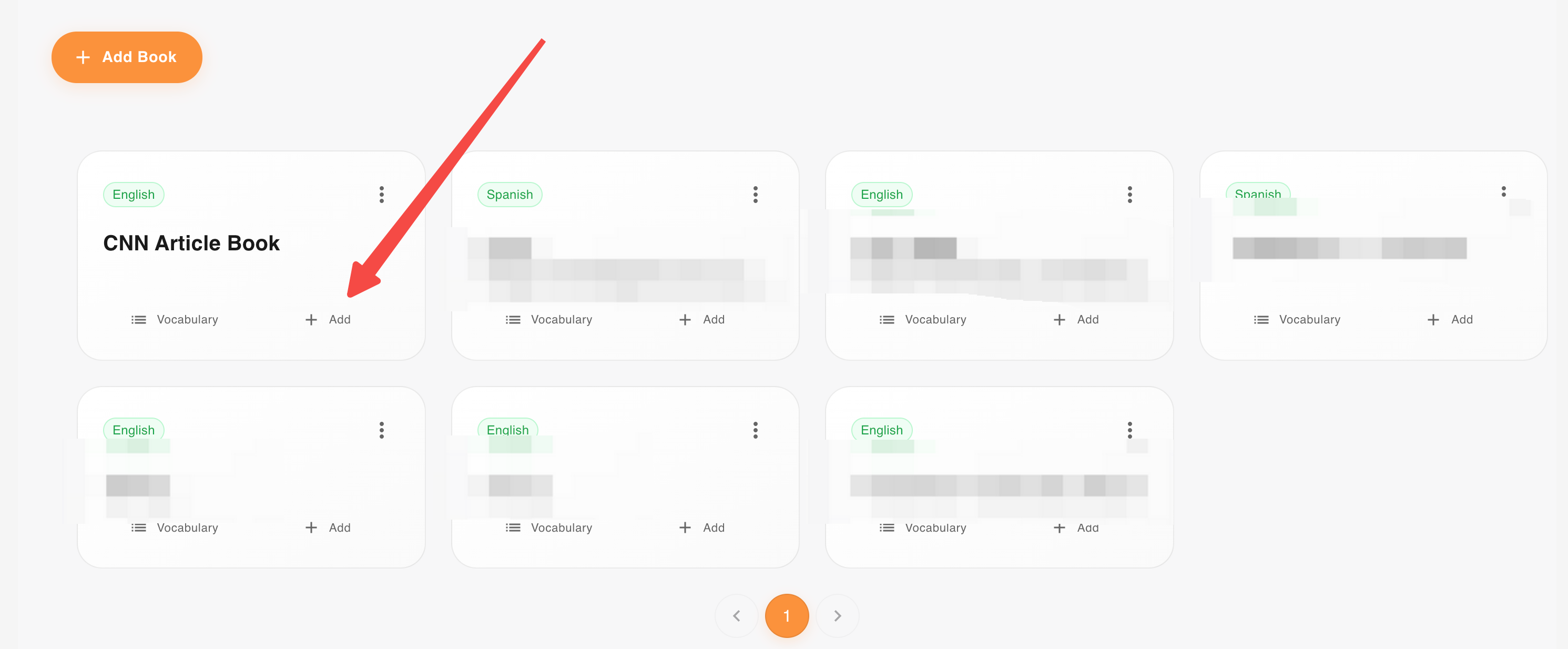
Go to the article you want to learn from and copy the link.Then header over to Vocabulary Books Page, choose the book you want to add words to, and click the “Add” button.
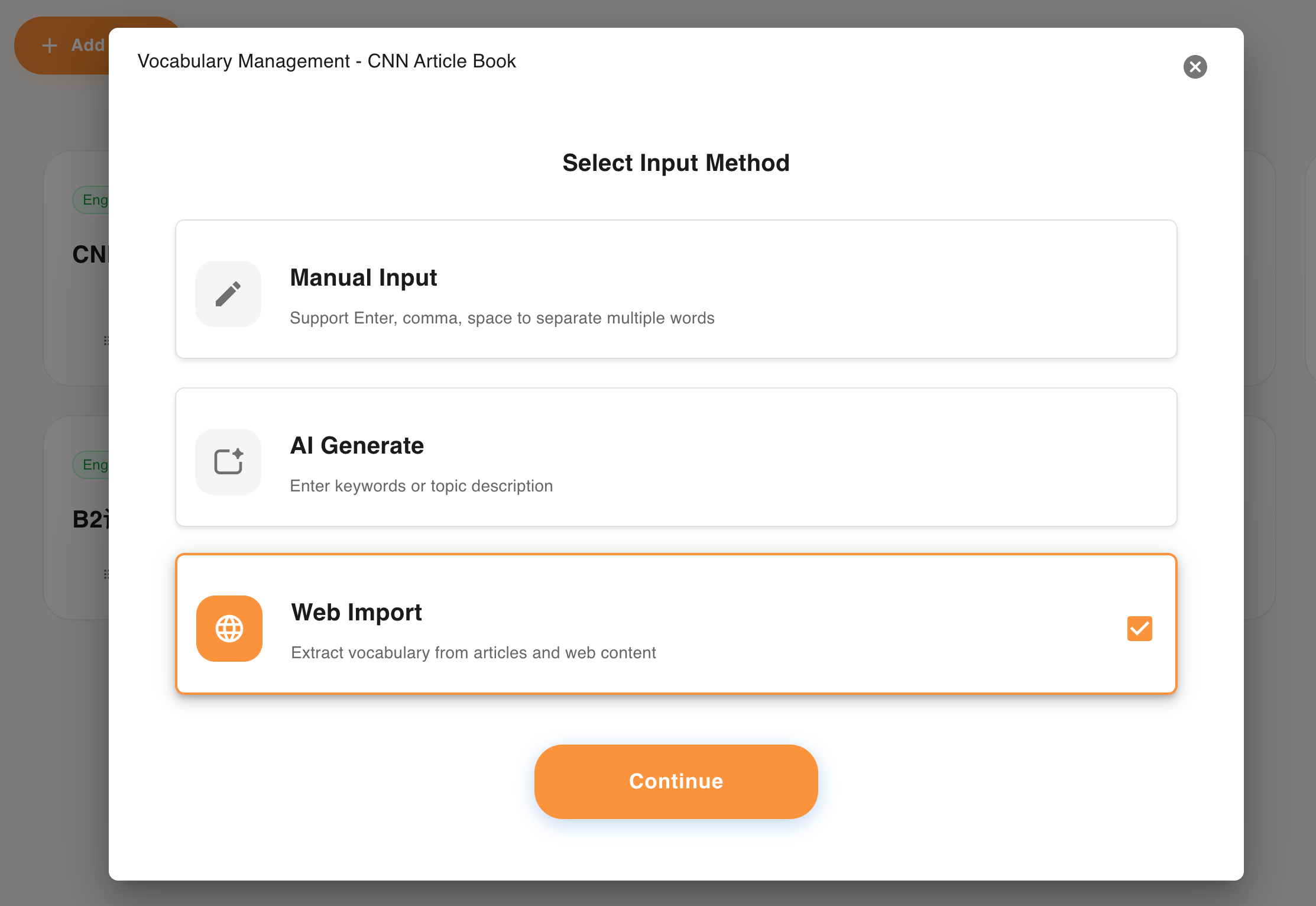
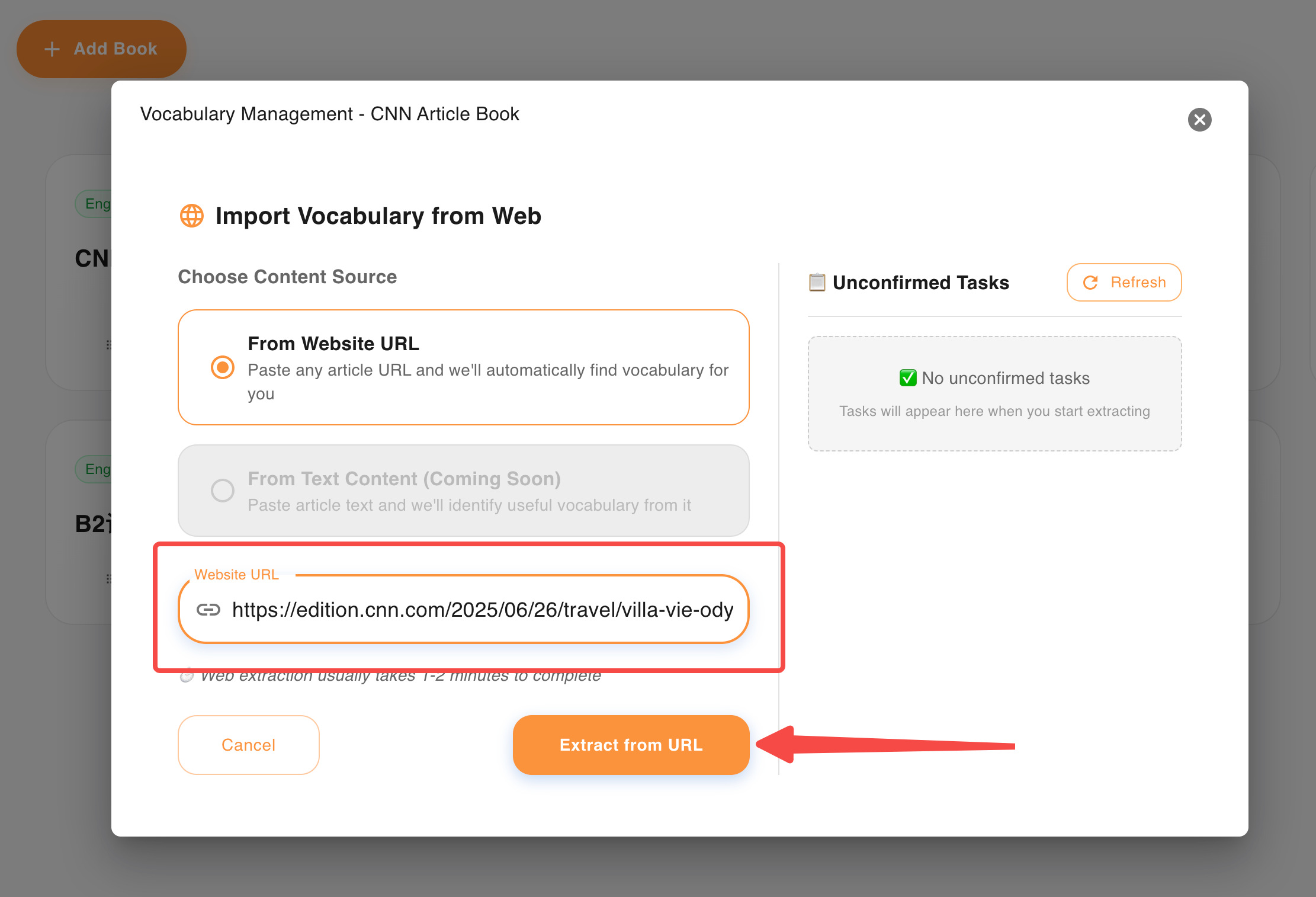
And then select "Web Import" option and paste the article url. Finally click the "Extract from URL" button to submit the url.
🪜 Step 2: Start the Extraction
After submitting the URL, our system will begin fetching the article content. We automatically remove ads, navigation menus, and other clutter—leaving you with only clean and readable text.
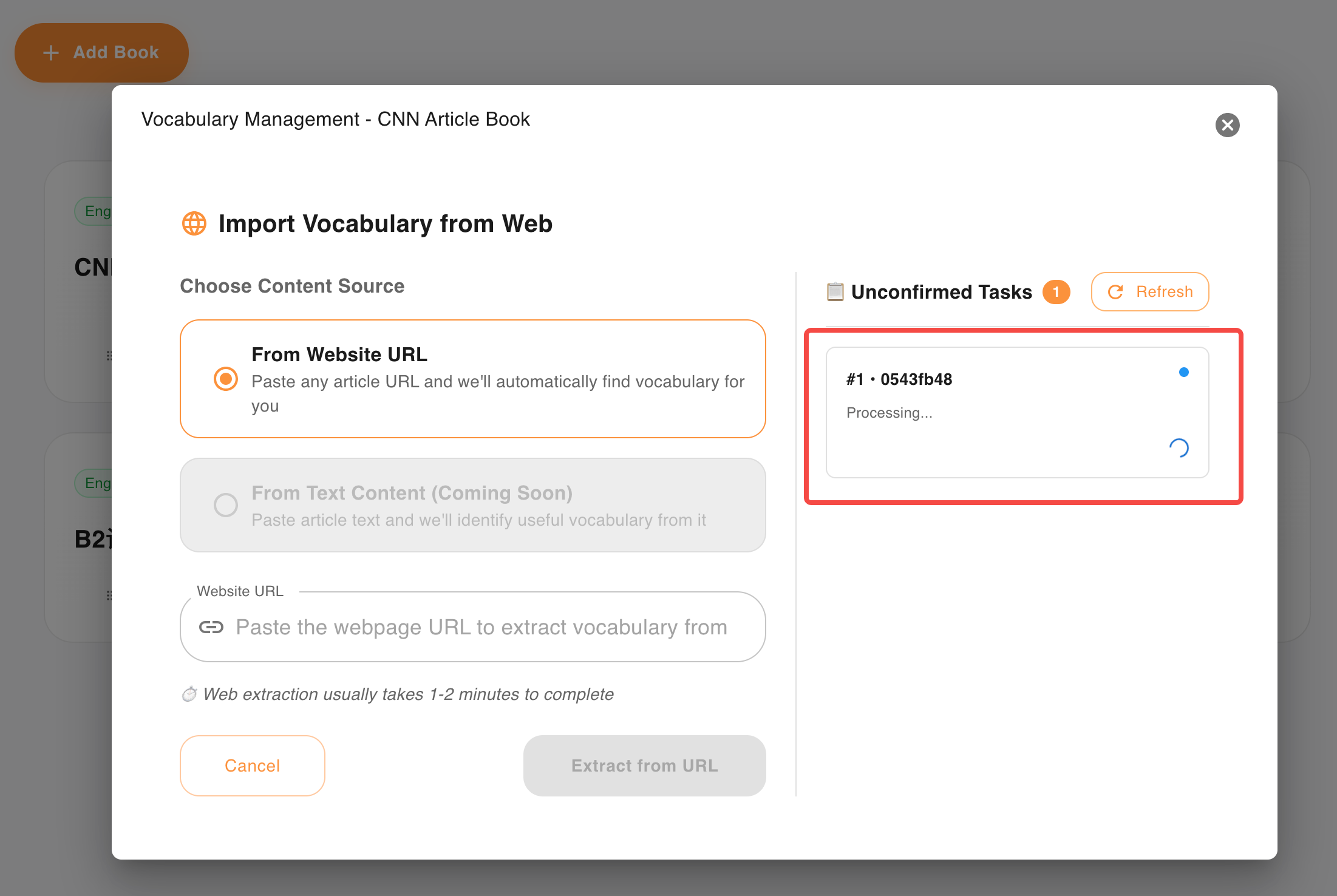
🪜 Step 3: Wait for Completion
The extraction usually takes 1 to 2 minutes depending on the page length.Once completed, you'll see a "View Vocabulary " button appear.
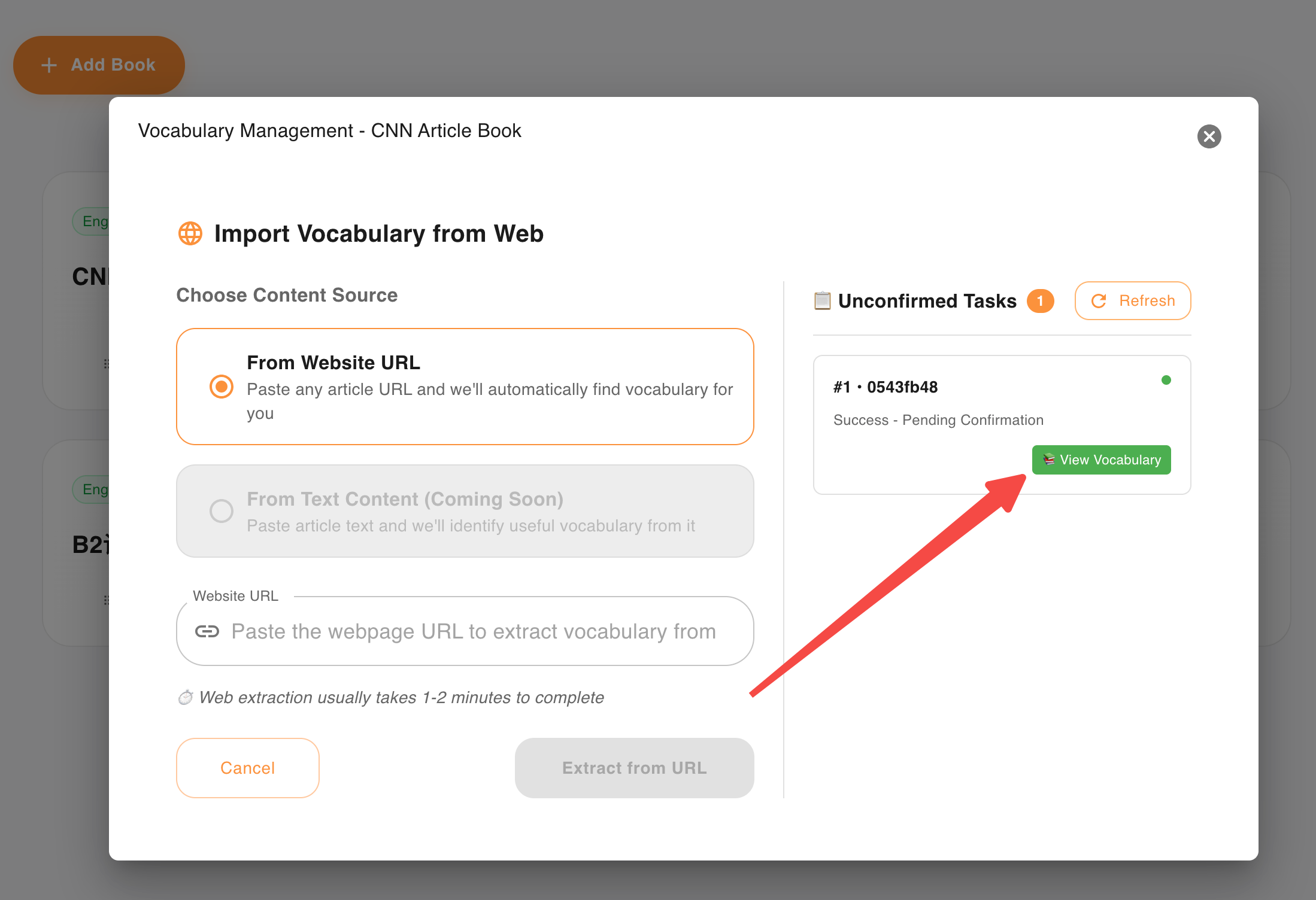
🪜 Step 4: View and Select Vocabulary
Click "View Vocabulary" button to see the full list of extracted words. From here, you can select the words you want to save into your book.
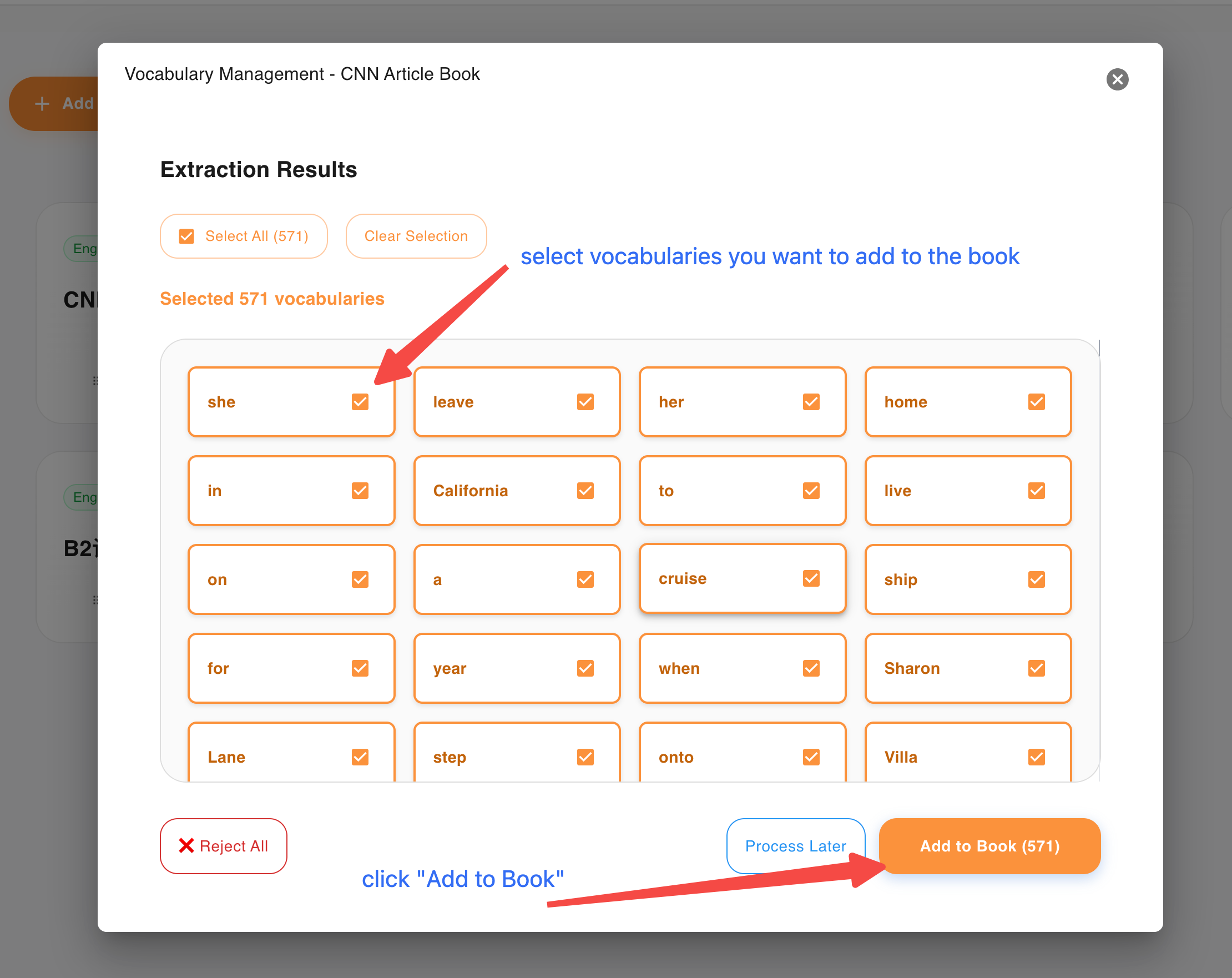
In just 4 simple steps, you’ve turned a real-world article into a customized vocabulary list—without manual copy-paste or dictionary juggling.
Why You’ll Love This Feature
This isn’t just a time-saver—it’s a smarter way to build your vocabulary.
Here’s what makes it stand out:
✅ Saves Time: No more copying text and manually highlighting unknown words.
✅ Custom Word Lists: Instantly save or export vocabulary for future review.
✅ Multi-Language Support: Works with English, Japanese, Spanish, Chinese, and more.
✅ Smart Detection: Automatically detects the article’s main language and filters out irrelevant terms.
✅ Cross-Device Access: Works on both desktop and mobile—learn anytime, anywhere.
Whether you're a self-study language learner, a student, or a teacher, this feature fits right into your workflow:
📖 Learners extracting words from The New York Times, NHK, or Reddit, etc.
🎓 Students reading scientific or academic papers in a second language
👩🏫 Teachers building topic-based vocabulary lists for class
If you read in a foreign language, you can benefit from this feature—simple as that.
Try It Yourself
Want to see it in action? Paste any article URL and try. It just takes minutes and you'll get a custom vocabulary list—ready to save, export, or study.